 Sign Gear
For photographers · Insurance, travel and customs
All your gear, with its serial number. Always at hand.
Sign Gear keeps your cameras, lenses, flashes and drones with their photos, serial numbers and receipts. And when you’re asked, it makes the insurance PDF, the travel checklist or the customs list in one tap.
- 3ready-to-send PDFs
- 34languages
- 15items free
Everything in your camera bag
- Cameras
- Lenses
- Flashes
- Tripods
- Audio
- Drones
- Computers
- Cards and drives
- Batteries
- Bags and cases
Video
Sign Gear in one minute
See how to add an item, build a kit and create the PDFs for your insurer, your trip and customs.
The video loads from YouTube when you press play.
How it works
From the shelf to the PDF in four steps.
No spreadsheets, no stray photos in your camera roll. Every item, with everything you’ll be asked for on the day you need it.
Add your gear
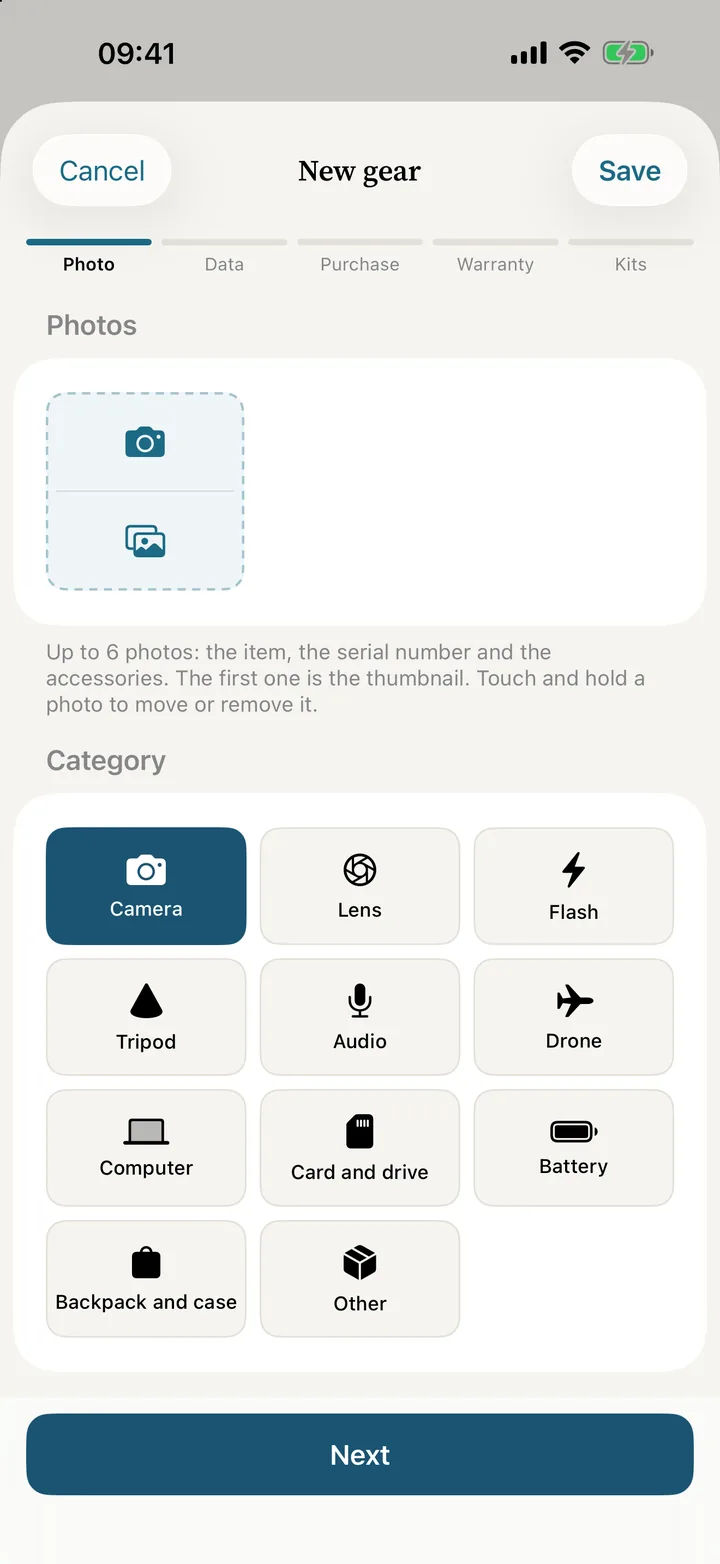
Photo, brand and model, serial number and price. The camera reads the serial number and the barcode on the box.
Keep the paperwork
Attach the receipt and the warranty. You get a reminder 30 and 7 days before the warranty ends.
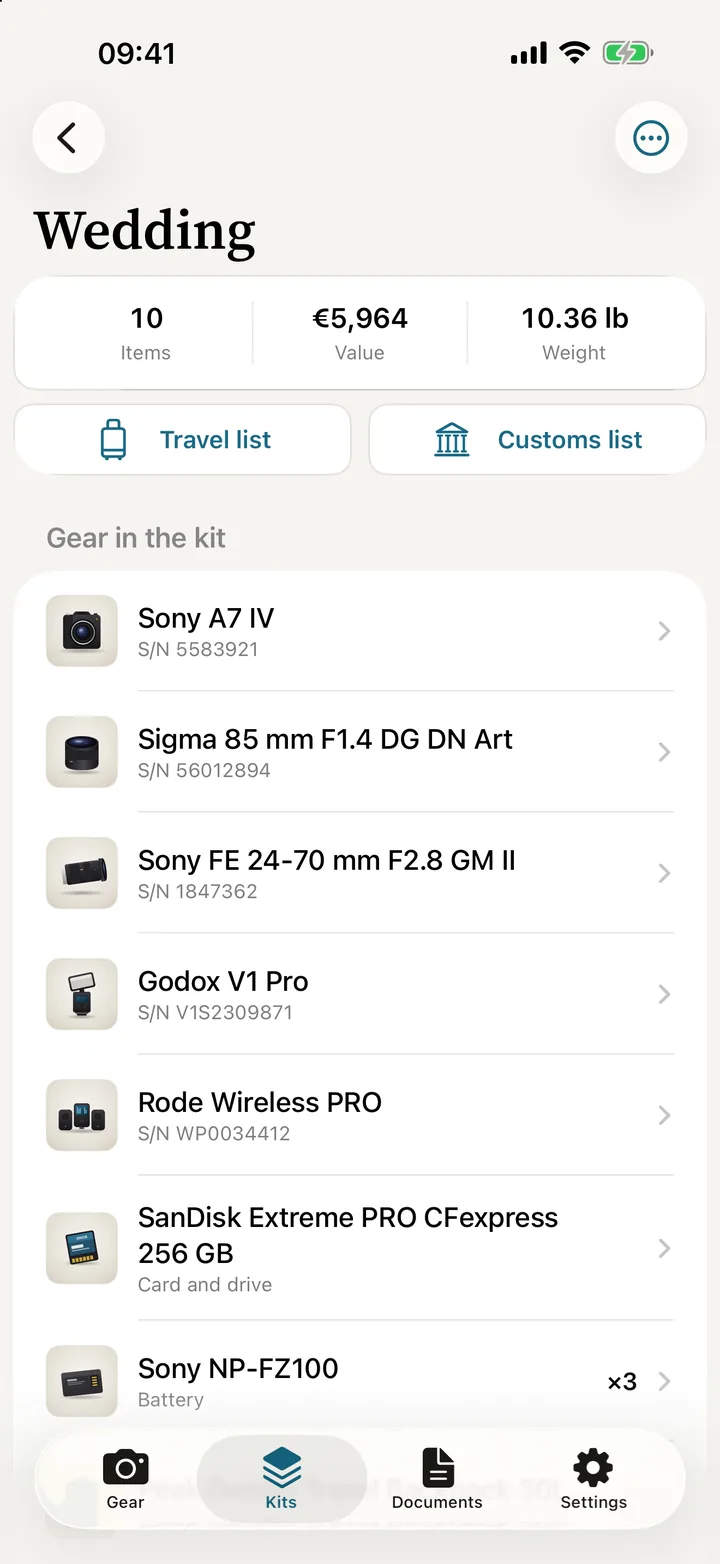
Group it into kits
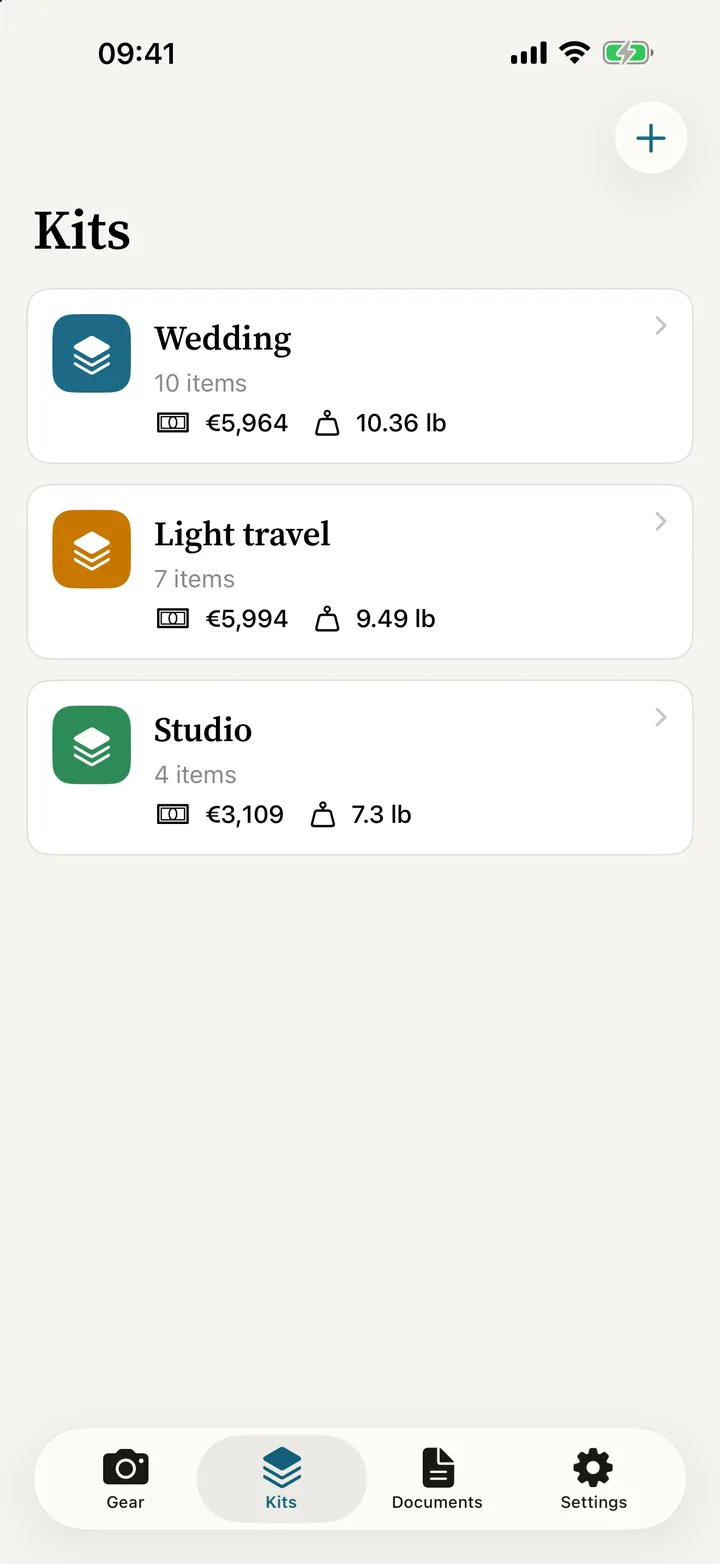
The gear for a wedding, a trip or the studio. Each kit adds up its value and weight.
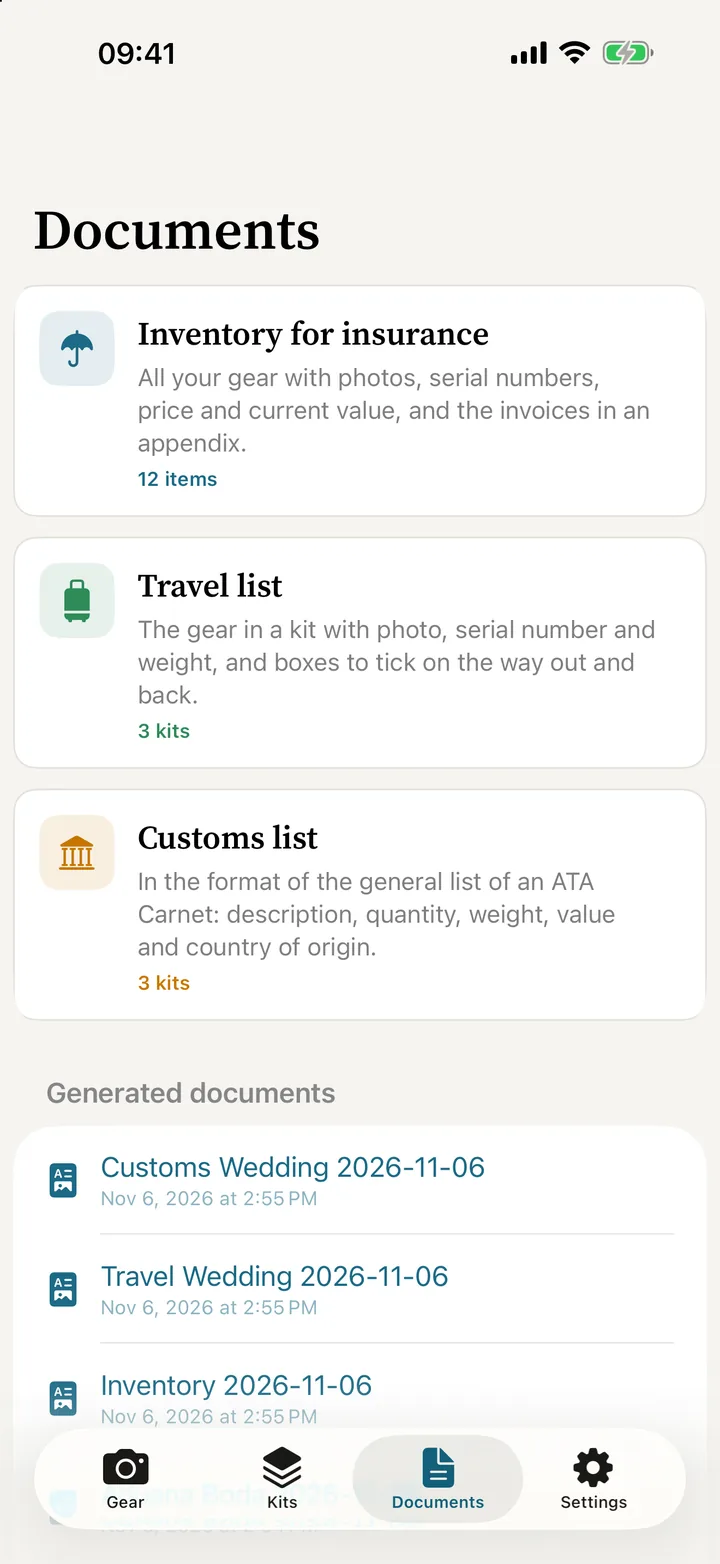
Make the PDF
Insurance inventory, travel checklist or customs list, ready to send or print.
The PDFs you get asked for
The paperwork, done before anyone asks.
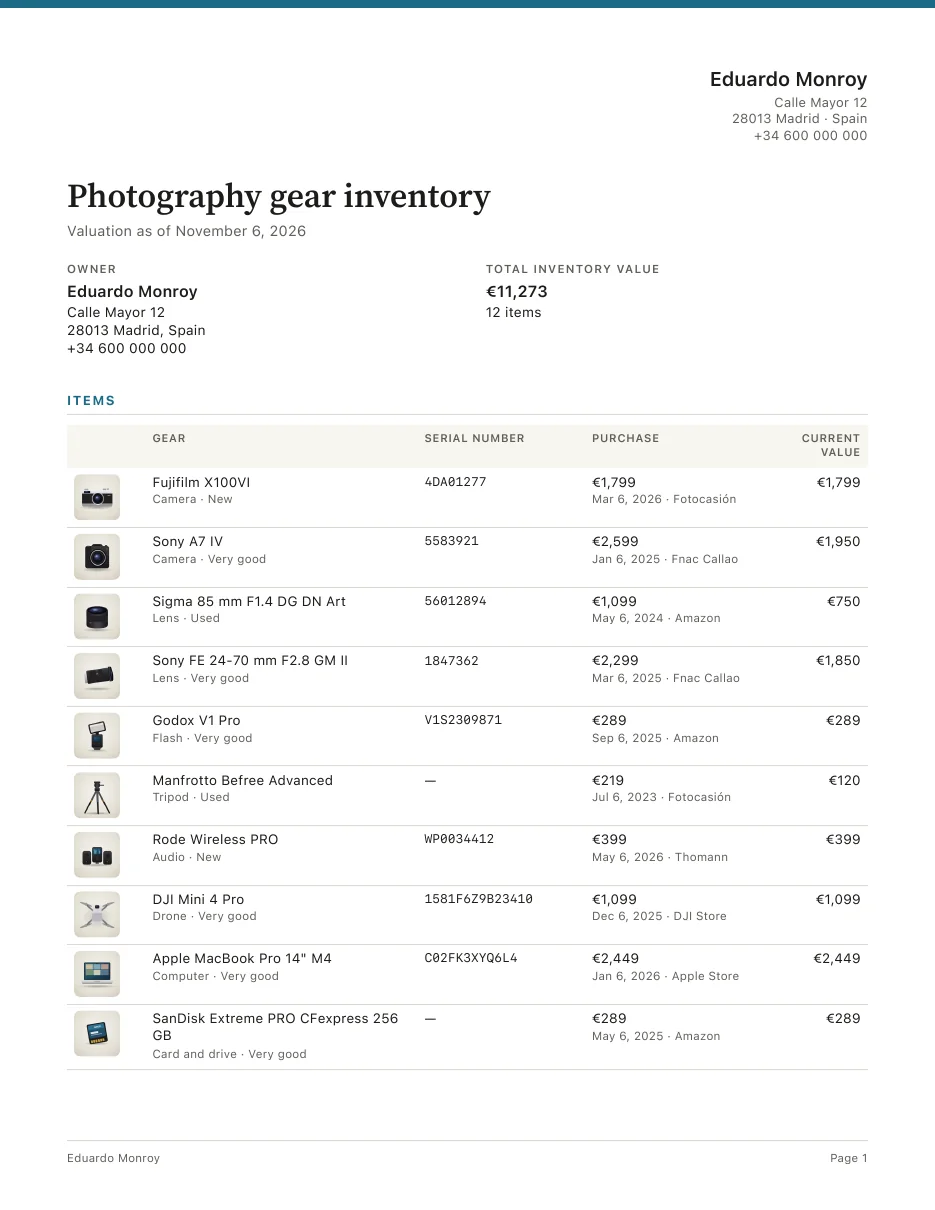
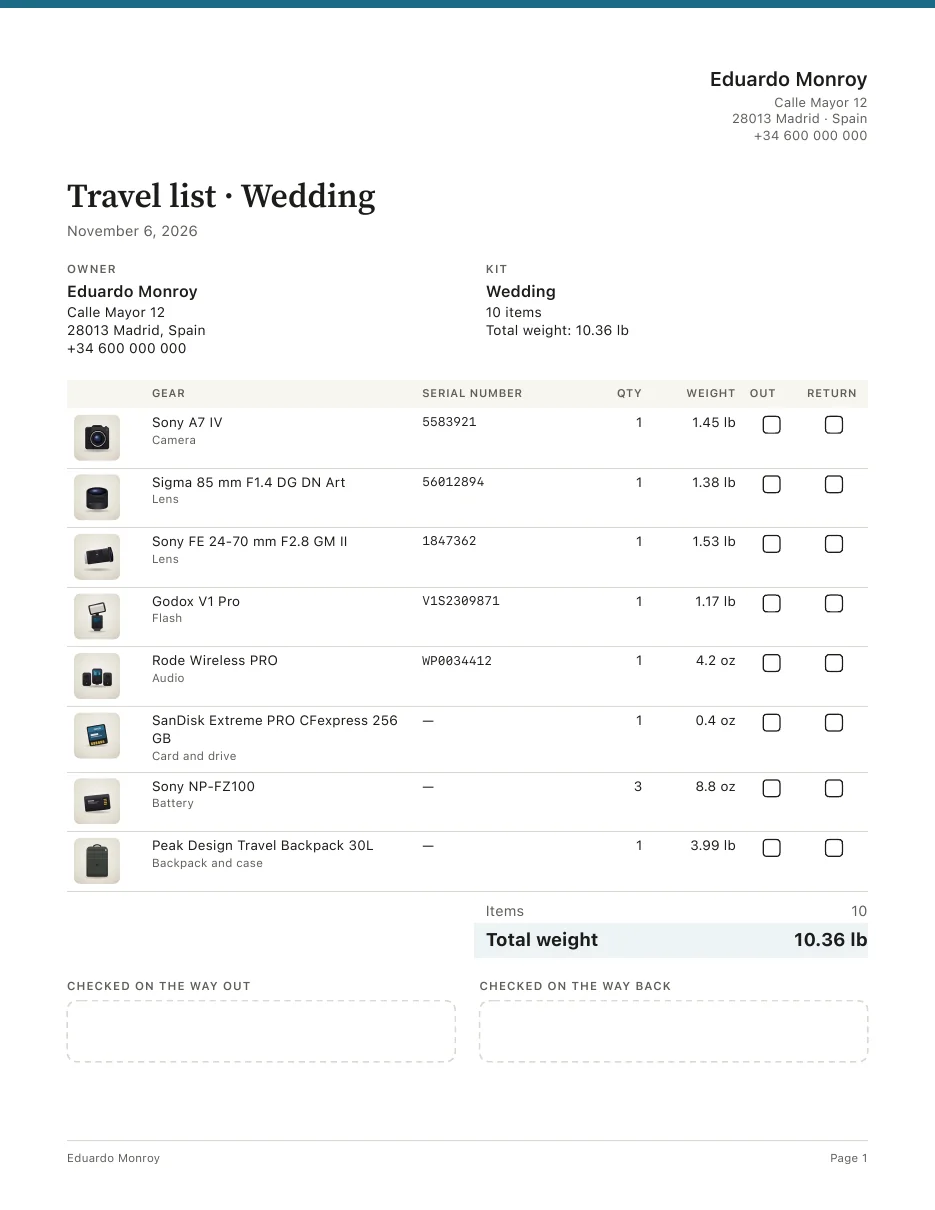
Your insurer, the airport and customs all want the same thing: what you carry, its serial number and what it’s worth. Sign Gear puts it in a clean PDF with your details at the top.
- Insurance inventory. All your gear with photos, serial numbers, purchase and current value, with the receipts in an appendix.
- Travel checklist. The gear in a kit with photo, serial number and weight, and boxes to tick on the way out and back.
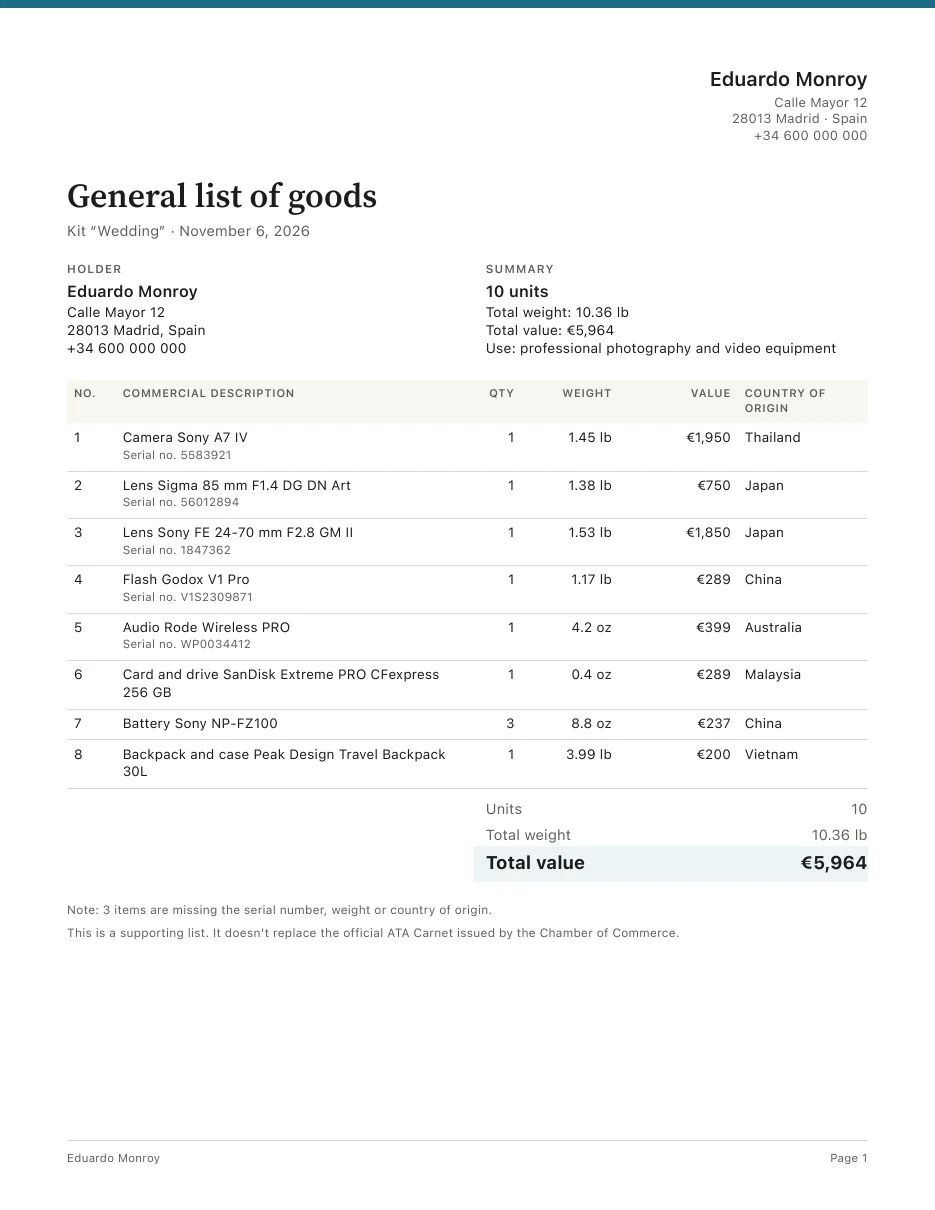
- Customs list. Description, quantity, weight, value and country of origin, in the format of the ATA carnet general list.
The customs list is an aid: it does not replace the official ATA carnet issued by your chamber of commerce.
What makes it different
Made for people who make a living with their gear.
A spreadsheet won’t remind you about a warranty or prepare your customs list. Sign Gear is built around a photographer’s day-to-day.
Reads the serial number
Point the camera at the label or the barcode on the box and the field fills itself in.
Receipt and warranty
Every item with its documents attached and a reminder before the warranty runs out.
What it’s worth and weighs
Purchase price, current value and weight of every item, with the total of everything you own.
Kits for every job
Wedding, light travel, studio: the same item can be in several kits.
Reminders that matter
End of warranty, end of your insurance policy, and a nudge to review your inventory every 6 months.
No accounts, no servers
Works offline. Your gear, photos and receipts never leave your phone unless you share them.
Face ID or fingerprint lock
So nobody sees your serial numbers if you leave your phone on the table.
From iPhone to Android
The backup is a single file that restores on both.
All in order
Every item, one tap away.
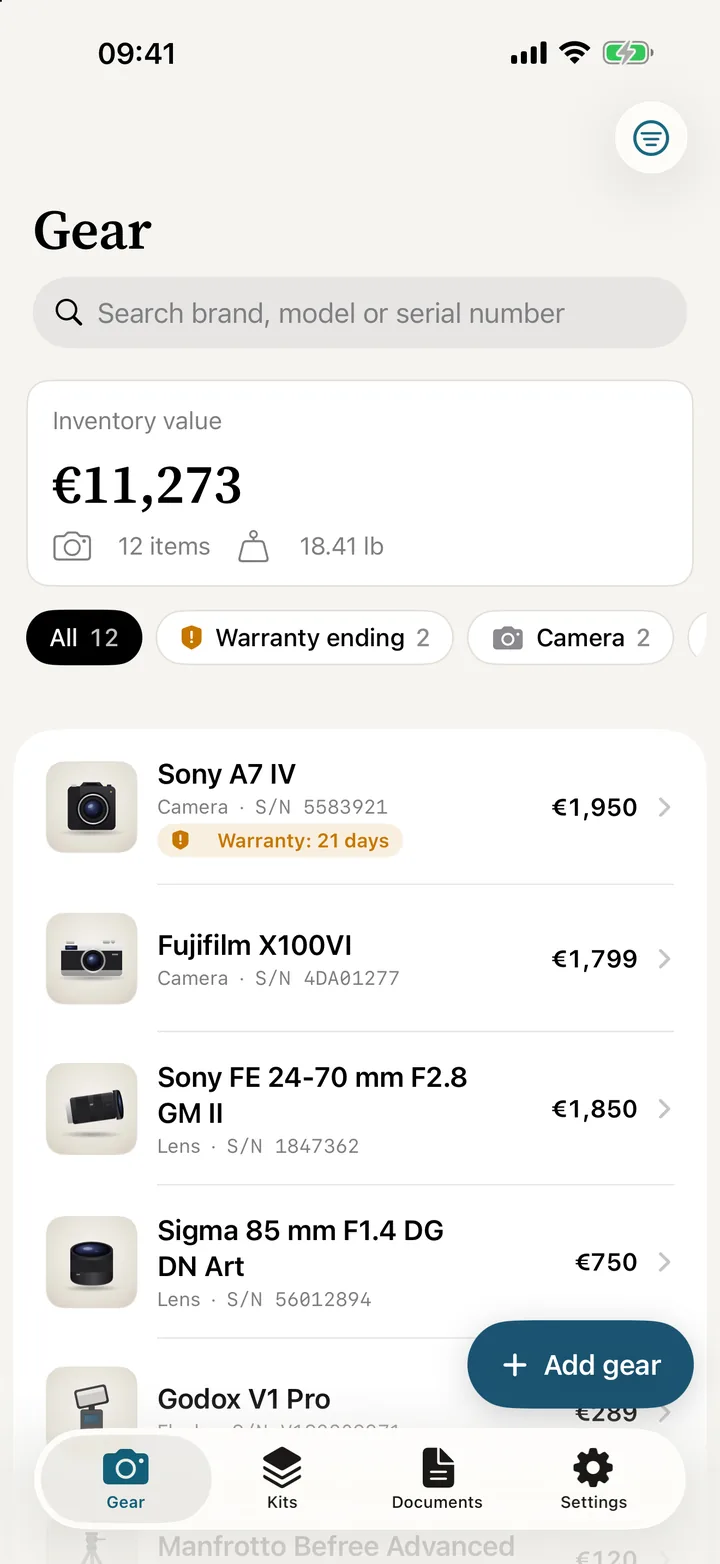
Search by brand, model or serial number, filter by category or by warranties about to expire, and open the item with everything you need.
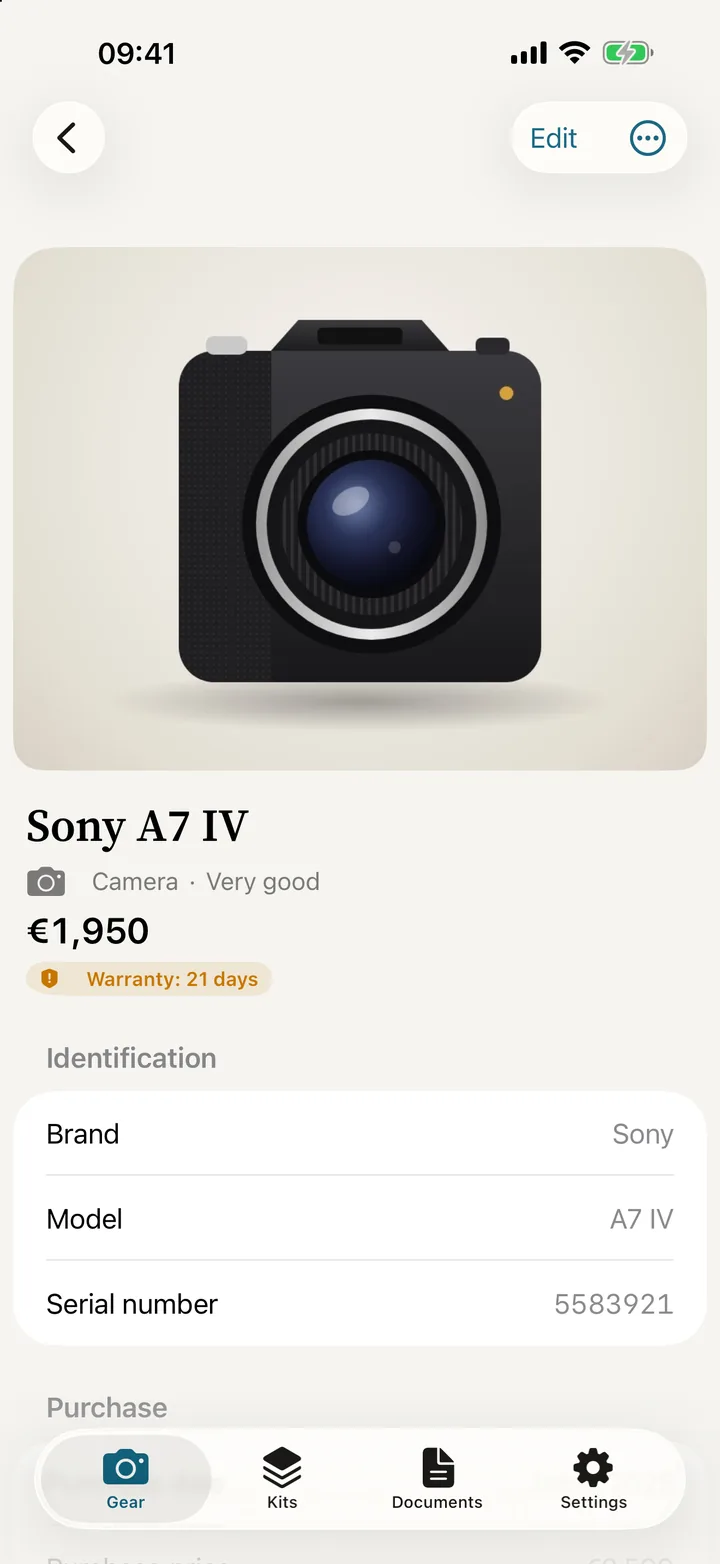
- Inventory value at a glance. The total value and weight of all your gear, right at the top.
- The full record. Photos, serial number, purchase, warranty and kits for every item.
- Automatic backup. A weekly copy to the folder you choose (Pro).
Pricing
Start free. Go Pro when you need it.
No ads. Pro with a one-time payment or a yearly subscription, your choice.
Free
To get things in order
- Up to 15 items
- One kit
- Insurance PDF (with watermark)
- Warranty and policy reminders
- Backup
Pro Best value
One-time payment or yearly subscription
- Unlimited items and kits
- All 3 PDFs without watermark
- Theft or loss report for the police and your insurer
- QR labels to stick on your gear
- Second-hand sale sheet
- Automatically calculated current value
- Maintenance, shutter count and service reminders
- Read serial numbers with the camera
- Weekly automatic backup
FAQ
What people usually ask.
Will my insurer accept the PDF?
It’s the inventory insurers usually ask for: every item with photo, serial number, purchase date and price, current value, and the receipts at the end. What your policy accepts is up to your insurer.
Does it replace the ATA carnet?
No. The customs list follows the format of the ATA carnet general list so you can copy or attach it, but the official carnet is issued by your chamber of commerce.
Where is my data stored?
On your phone. There are no accounts or servers: data only leaves it when you share a PDF or make a backup. More in the privacy policy.
Does it work offline?
Yes, all of it: adding gear, reading serial numbers and making the PDFs.
Can I move my data from iPhone to Android?
Yes. The backup is a .signgear file that restores on either.
When is it out?
The Android version is in closed testing on Google Play and the iPhone version is on its way. Write to us if you’d like to try it early.
Don’t let a theft catch you without the serial numbers.
Start free with your first 15 items.